Telescope Resolution and Dawes Limit Calculator

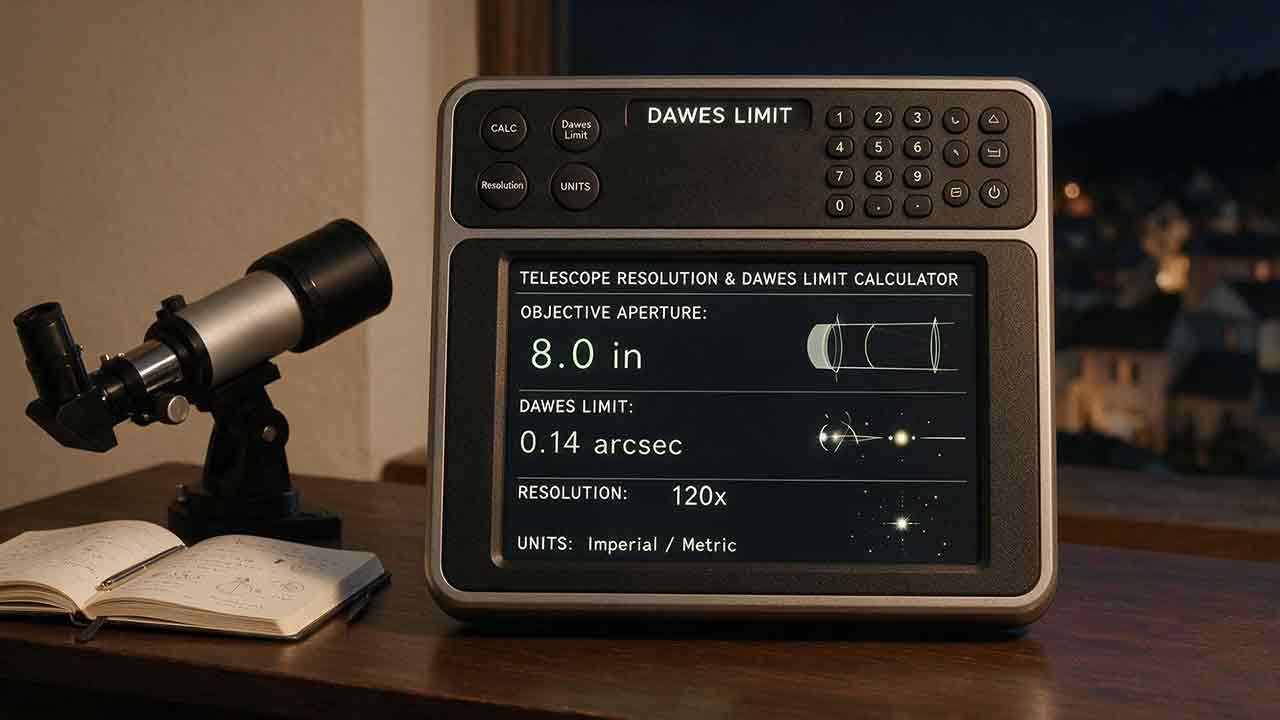
Telescope Resolution and Dawes Limit Calculator
A telescope resolution and Dawes limit calculator estimates the smallest angular separation a telescope could resolve under defined theoretical criteria. Dawes’ limit is an empirical visual double-star benchmark based on aperture. The Rayleigh criterion describes circular-aperture diffraction at a selected wavelength. Neither value guarantees a clean stellar split, visible planetary detail, or equivalent real-world camera performance.
Key Takeaways
- Dawes’ limit in arcseconds is approximately
116 ÷ aperture in millimeters. - The Rayleigh criterion is
1.22 × wavelength ÷ aperture, using consistent units. - The Rayleigh separation angle and Airy pattern’s first-minimum radius have the same numerical value in the ideal circular-aperture model.
- A smaller result in arcseconds represents finer theoretical angular resolution.
- Seeing, target contrast, optical preparation, central obstruction and sampling can dominate the actual result.
This guide explains how to select the correct criterion, verify units, compare a double star with both limits, interpret atmospheric seeing, translate an angular result into a reference linear scale and avoid treating a theoretical calculation as a performance guarantee.
Method disclosure: This guide is based on published optical relationships, authoritative documentation, reproducible calculations and practical interpretation criteria rather than hands-on product testing. The original comparison frameworks and derived tables are planning tools, not laboratory measurements or universal performance standards.
Telescope Resolution and Dawes Limit Calculator
Enter the clear working aperture first. Add wavelength, target separation, seeing, focal length, pixel size or target distance only when the corresponding result is needed.
The calculator keeps different angular criteria and input paths separately labeled. It does not silently combine seeing with diffraction, treat pixel scale as optical resolution or select an angle for linear conversion without identifying its source.
Calculator Inputs
| Input | Required? | What to enter | Example |
|---|---|---|---|
| Telescope aperture | Required | Clear working objective or primary-mirror diameter | 150 mm |
| Aperture unit | Required | Millimeters or inches | mm |
| Wavelength | Required for wavelength-specific Rayleigh calculation | Wavelength in nanometers | 550 nm |
| Double-star separation | Optional | Catalog or measured angular separation | 1.20″ |
| Seeing estimate | Optional | Atmospheric seeing FWHM in arcseconds | 1.50″ |
| Effective focal length | Optional for camera sampling | Effective focal length in millimeters | 1,200 mm |
| Camera pixel size | Optional for pixel scale | Pixel pitch in micrometers | 3.76 µm |
| Target distance | Optional for linear translation | Distance in a supported unit | 384,400 km |
| Angle source | Required for linear translation | Entered separation, Dawes limit or Rayleigh criterion | Rayleigh |
Which Inputs Does Each Output Require?
| Output | Required inputs |
|---|---|
| Dawes limit | Telescope aperture |
| Rayleigh criterion / Airy first-minimum radius at selected wavelength | Telescope aperture, wavelength |
| Rayleigh reference at 550 nm | Telescope aperture |
| Required aperture by Dawes criterion | Target angular separation |
| Required aperture by Rayleigh criterion | Target angular separation, wavelength |
| Separation-to-Dawes Ratio | Telescope aperture, target angular separation |
| Separation-to-Rayleigh Ratio | Telescope aperture, wavelength, target angular separation |
| Seeing-to-Rayleigh Ratio | Seeing estimate, telescope aperture, wavelength |
| Camera pixel scale | Effective focal length, camera pixel size |
| Linear scale from entered angular separation | Target angular separation, target distance |
| Linear scale from Dawes limit | Telescope aperture, target distance |
| Linear scale from Rayleigh criterion | Telescope aperture, wavelength, target distance |
A result appears only when all inputs required for that calculation are present and valid.
Input Requirements
Use positive numerical values and the units shown.
- Aperture must be greater than zero.
- Wavelength must be greater than zero.
- Angular separation must be greater than zero.
- Seeing must be greater than zero.
- Effective focal length and pixel size must be greater than zero.
- Target distance must be greater than zero.
- Use the telescope’s clear working aperture.
- Do not enter focal length in the aperture field.
- Do not enter magnification as aperture.
- Use effective focal length when a reducer, Barlow, extender or moving-primary system changes the camera scale.
- Enter
550for 550 nanometers, not0.55, unless the field is explicitly configured for micrometers.
A mask or aperture stop changes the working aperture and must be included. A central obstruction changes the diffraction pattern but does not reduce the outer aperture value used by the basic formulas.
Unit Conversion Rules
The calculator converts all values into defined internal units before applying a formula.
Aperture in millimeters
= Aperture in inches × 25.4
Internal units are:
| Quantity | Internal unit |
|---|---|
| Aperture | Millimeters |
| Wavelength | Nanometers |
| Angular separation | Arcseconds |
| Seeing | Arcseconds |
| Effective focal length | Millimeters |
| Pixel size | Micrometers |
| Distance | Meters before output conversion |
Do not manually use the millimeter Dawes formula with an aperture that remains in inches. The calculator performs the conversion first.
For a 6-inch aperture:
Aperture
= 6 × 25.4
= 152.4 mm
Then:
Dawes limit
= 116 ÷ 152.4
≈ 0.761″
Displayed result:
0.76″
Wavelength Input Check
The wavelength field uses nanometers.
A value near 550 nm is a common visible-light reference. The calculator uses 380–780 nm as a unit-check reference band for visible-light entries.
Values outside that band are not automatically invalid. Ultraviolet, infrared and specialized imaging calculations may require other wavelengths. The result must be interpreted for the entered wavelength, optical system and detector.
An unusually small or large value produces:
Wavelength check: The entered value is outside the calculator’s visible-light reference band. Confirm that the value is in nanometers.
The warning does not silently convert the input or assume a different unit.
Calculator Outputs
Depending on the available inputs, the calculator reports:
- Dawes limit
- Rayleigh criterion at the selected wavelength
- Airy first-minimum radius under the same circular-aperture model
- Rayleigh reference at 550 nm
- Required aperture by Dawes criterion
- Required aperture by Rayleigh criterion
- Minimum whole-unit aperture reference rounded upward
- Separation-to-Dawes Ratio
- Separation-to-Rayleigh Ratio
- Seeing-to-Rayleigh Ratio
- Camera pixel scale
- Linear translation from the explicitly selected angular source
- Criterion, unit and interpretation warnings
The Rayleigh separation criterion and Airy first-minimum radius are displayed as related labels for the same numerical angle, not as two independent resolution calculations.
The calculator reports mathematical criteria. It does not certify that a telescope, camera, observer or observing site will achieve those values.
How Are Calculation Precision and Rounding Handled?
The calculator converts units and performs comparisons using unrounded numerical values. Rounding is applied only when a result is displayed.
Display Precision
| Output | Display precision |
|---|---|
| Dawes limit | Two decimal places |
| Rayleigh criterion | Two decimal places |
| Airy first-minimum radius | Two decimal places |
| Required aperture | One decimal place |
| Separation ratios | Two decimal places |
| Seeing-to-Rayleigh Ratio | Two decimal places |
| Pixel scale | Two decimal places |
| Linear separation | Precision appropriate to the selected unit |
| Converted aperture | One decimal place when required |
The calculation order is:
1. Validate the input and unit.
2. Convert the input into the internal unit.
3. Calculate the full-precision result.
4. Perform comparisons using full precision.
5. Round only for display.
A displayed value can appear equal to a boundary even when its unrounded result is slightly below or above it.
For example:
Unrounded ratio: 0.996
Displayed ratio: 1.00
Geometric label: Below the selected criterion
The label remains based on 0.996, not the rounded display value.
How Is Dawes’ Limit Calculated?
Dawes’ limit is an empirical visual double-star criterion based on clear aperture.
For aperture in millimeters:
Dawes limit in arcseconds
≈ 116 ÷ Aperture in millimeters
For aperture in inches:
Dawes limit in arcseconds
≈ 4.56 ÷ Aperture in inches
The calculator converts inches to millimeters internally and uses one consistent calculation path.
For a 150 mm telescope:
Dawes limit
= 116 ÷ 150
≈ 0.773″
Displayed result:
0.77″
Celestron publishes the 116 ÷ aperture in millimeters relationship in its guide to resolution and the Dawes limit.
What Does the Dawes Result Mean?
Dawes’ limit is primarily a reference for visually separating two close, nearly point-like sources under favorable conditions.
It is most relevant when:
- The target is a double star or artificial point-source pair.
- The components have broadly similar brightness.
- Atmospheric seeing is stable.
- The telescope is accurately focused and collimated.
- The optics are thermally stable.
- Magnification makes the diffraction pattern visible to the observer.
- The observer has sufficient visual acuity and experience.
Dawes’ limit is not a formula for the smallest lunar crater, planetary marking, galaxy feature or photographic structure that must be visible.
Why Is Dawes’ Limit an Empirical Criterion?
Dawes’ limit developed from visual double-star observations rather than a universal diffraction definition.
Detectability near the threshold can change with:
- Component brightness
- Magnitude difference
- Star color
- Atmospheric stability
- Central obstruction
- Optical aberrations
- Magnification
- Observer vision
- The definition of “resolved”
An elongated image, a visible notch and a clean split are different observational claims. The calculator does not treat them as interchangeable.
How Is the Rayleigh Criterion Calculated?
The Rayleigh criterion describes point-source separation using the diffraction pattern of an ideal circular aperture.
In radians:
Rayleigh angle
= 1.22 × Wavelength ÷ Aperture
Wavelength and aperture must use the same length unit.
OpenStax explains that two point sources meet the Rayleigh criterion when one source’s central diffraction maximum lies at the first minimum of the other source’s pattern. See Circular Apertures and Resolution.
Rayleigh Formula for Nanometers and Millimeters
When wavelength is entered in nanometers and aperture in millimeters:
Rayleigh criterion in arcseconds
≈ 0.251643 × Wavelength in nanometers
÷ Aperture in millimeters
At 550 nm:
Rayleigh criterion
≈ 138.404 ÷ Aperture in millimeters
For a 150 mm telescope at 550 nm:
Rayleigh criterion
= 0.251643 × 550 ÷ 150
≈ 0.923″
Displayed result:
0.92″
Rayleigh and the Airy First-Minimum Radius
For an ideal, unobstructed circular aperture, the Rayleigh separation angle and the Airy pattern’s first-minimum angular radius use the same numerical expression:
θ = 1.22 × Wavelength ÷ Aperture
The labels describe related concepts:
- Airy first-minimum radius: the angular distance from the center of one diffraction pattern to its first dark minimum.
- Rayleigh separation criterion: the point-source separation at which one central maximum lies at the other source’s first minimum.
The calculator can display both labels for clarity, but it does not present them as different numerical results under this model.
What Assumptions Does the Rayleigh Formula Make?
The standard 1.22 λ ÷ D expression assumes:
- An ideal circular aperture
- No central obstruction
- Monochromatic light
- Accurate focus
- No optical aberration
- No atmospheric turbulence
- A point source
- A defined Rayleigh interpretation
Real systems can differ because of:
- Central obstruction
- Spider diffraction
- Chromatic bandwidth
- Spherical aberration
- Astigmatism
- Coma
- Defocus
- Atmospheric seeing
- Detector response
- Image processing
The formula remains useful as a reference, but it is not a complete point-spread-function model for every telescope.
Why Does Wavelength Matter?
Diffraction angle increases with wavelength.
At the same aperture:
- A shorter wavelength produces a smaller theoretical Rayleigh angle.
- A longer wavelength produces a larger theoretical Rayleigh angle.
A shorter wavelength does not automatically produce a better practical image. Atmospheric turbulence, optical correction, detector sensitivity, focus and target brightness can also change with wavelength.
The University of Sheffield’s telescope principles guide explains that theoretical resolution improves with larger aperture and shorter wavelength.
Which Is Better: Dawes’ Limit or the Rayleigh Criterion?
Neither criterion is universally better because they answer different questions.
| Criterion | Foundation | Main use | Wavelength input? | Important limitation |
|---|---|---|---|---|
| Dawes | Empirical visual benchmark | Similar-brightness double stars | No | Not a general diffraction definition |
| Rayleigh | Circular-aperture diffraction criterion | Point-source separation at a stated wavelength | Yes | Idealized model |
| Seeing FWHM | Atmospheric image-width estimate | Ground-based delivered image quality | Usually normalized to defined conditions | Not identical to point-source separation |
| Pixel scale | Detector sampling measure | Camera recording scale | No | Does not establish optical resolution |
Use Dawes when the question is:
How close might two broadly similar stars be before a traditional visual threshold is reached?
Use Rayleigh when the question is:
What diffraction angle follows from this aperture and wavelength under the Rayleigh definition?
Use neither value alone when the question is:
What is the smallest planetary feature I am guaranteed to see?
When Can Dawes and Rayleigh Be Compared Directly?
The calculator provides a 550 nm Rayleigh reference for a limited comparison with Dawes’ criterion.
For the same aperture:
Dawes constant ≈ 116

Rayleigh constant at 550 nm ≈ 138.4
The Dawes angle is approximately 84% of the 550 nm Rayleigh angle.
That difference does not mean one formula is wrong. Dawes and Rayleigh use different definitions of “resolved” and arise from different foundations.
This numerical comparison applies specifically to the 550 nm Rayleigh reference. A Rayleigh value calculated at ultraviolet, infrared or another specialized wavelength should not be treated as a directly equivalent visual comparison with Dawes’ criterion.
Dawes’ criterion does not accept wavelength as a calculator input.
Does a Smaller Arcsecond Result Mean Better Resolution?
Yes. A smaller minimum angle represents finer theoretical angular resolution.
| Resolution result | Interpretation |
|---|---|
| 2.00″ | Coarser theoretical resolution |
| 1.00″ | Finer theoretical resolution |
| 0.50″ | Finer still |
| 0.20″ | Very fine theoretical resolution |
The language can be confusing because “higher resolution” corresponds to a lower numerical value in arcseconds.
A 0.50″ limit is therefore finer than a 1.00″ limit.
What Is the Difference Between Angular Resolution and Visible Detail?
Angular resolution is a criterion for separating point-like sources. Visible detail is a contrast-detection problem involving the target, atmosphere, telescope, magnification and observer or detector.
A planet is not a pair of equal point sources. Planetary and lunar features have different:
- Sizes
- Shapes
- Contrasts
- Colors
- Illumination angles
- Orientations
- Spatial frequencies
A narrow, high-contrast line can sometimes be detected even when its width is smaller than a quoted point-source criterion. A broad, low-contrast feature can remain invisible despite being larger than that criterion.
Detection, identification and point-source resolution are different claims.
The calculator therefore does not convert a Dawes or Rayleigh value into a statement such as:
This telescope will show every feature larger than 0.8 arcseconds.
That conclusion would not be scientifically justified.
The Resolution Reality Stack
The Resolution Reality Stack is an original interpretation framework. It separates five layers that are frequently collapsed into one misleading “resolution” number.
Layer 1: Mathematical Criterion
Choose the criterion that matches the question.
Ask:
- Is the target a double star?
- Is wavelength relevant?
- Is the target point-like or extended?
- Is the calculation a visual or camera reference?
A formula can be calculated correctly and still be inappropriate for the target.
Layer 2: Target Detectability
Evaluate:
- Brightness
- Contrast
- Magnitude difference
- Color
- Shape
- Orientation
- Surface structure
A similar-brightness double star is a better Dawes test than a pair with a faint secondary beside a bright primary.
Layer 3: Atmospheric Delivery
Evaluate:
- Seeing
- Target altitude
- Jet-stream activity
- Local heat
- Wind
- Tube currents
- Observation or exposure duration
ESO explains that atmospheric turbulence distorts incoming wavefronts and can prevent a ground-based telescope from approaching its diffraction limit. See What Is Active and Adaptive Optics?.
Layer 4: Telescope Readiness
Check:
- Collimation
- Focus
- Optical quality
- Thermal equilibrium
- Central obstruction
- Mechanical stability
- Tracking
- Clean and undamaged optics
A larger aperture has a finer theoretical limit, but a poorly cooled or miscollimated telescope may deliver less useful detail than a smaller prepared instrument.
Layer 5: Presentation and Recording
For visual observation, check:
- Magnification
- Exit pupil
- Eye relief
- Observer acuity
- Viewing comfort
For imaging, check:
- Pixel scale
- Focus
- Exposure time
- Tracking
- Binning
- Stacking
- Resampling
- Detector response
- Processing method
The calculated diffraction criterion is only the first layer.
How Does Atmospheric Seeing Compare With Rayleigh Resolution?
Seeing and Rayleigh resolution are different image quantities, but their angular scales can be compared without merging them into one claimed practical limit.
Professional seeing values are commonly expressed as a stellar image width or FWHM under defined conditions. ESO explains its seeing definitions in Observing Conditions: Definitions.
Seeing-to-Rayleigh Ratio
The calculator compares seeing only with the wavelength-specific Rayleigh angle:
Seeing-to-Rayleigh Ratio
= Entered seeing FWHM ÷ Rayleigh criterion
For seeing of 1.50″ and a Rayleigh angle of 0.92″:
Seeing-to-Rayleigh Ratio
= 1.50 ÷ 0.92
≈ 1.63
Displayed output:
Entered seeing: 1.50″
Rayleigh criterion: 0.92″
Seeing-to-Rayleigh Ratio: 1.63
Interpretation:
- A ratio above
1means the entered seeing value is numerically broader than the Rayleigh angle. - A ratio equal to
1means the angular values are numerically equal. - A ratio below
1means the entered seeing value is numerically smaller than the Rayleigh angle.
The calculator does not define this ratio as an exact practical resolution formula.
Seeing FWHM and Rayleigh point-source separation are not identical measurements. They should not be added, averaged or combined with a simple maximum function and presented as a complete delivered resolution.
Can Visual Observation Reveal Briefly Finer Detail?
Brief moments of steadier air can reveal more detail than a long-exposure seeing value suggests.
Short-exposure planetary imaging can also select and combine sharper frames. These methods do not remove diffraction, optical aberration, poor focus or inadequate sampling.
A favorable moment is an observing opportunity, not a guarantee of continuous diffraction-limited performance.
How Does Aperture Change Theoretical Resolution?
At a fixed wavelength and under the same criterion, theoretical angular resolution improves approximately in inverse proportion to aperture.
Resolution angle
∝ 1 ÷ Aperture
For Dawes’ limit:
100 mm aperture:
116 ÷ 100 = 1.16″

200 mm aperture:
116 ÷ 200 = 0.58″
Doubling the aperture halves the Dawes angle.
The larger telescope realizes that mathematical advantage only when the atmosphere, optics, thermal state, focus, alignment and mount support the finer scale.
Derived Telescope Resolution Reference Data
The following values are derived from:
Dawes limit
= 116 ÷ Aperture in millimeters
and:
Rayleigh criterion at 550 nm
= 138.404 ÷ Aperture in millimeters
They are calculated reference data, not measurements of particular telescope models.
| Aperture | Dawes limit | Rayleigh criterion at 550 nm |
|---|---|---|
| 60 mm | 1.93″ | 2.31″ |
| 80 mm | 1.45″ | 1.73″ |
| 100 mm | 1.16″ | 1.38″ |
| 114 mm | 1.02″ | 1.21″ |
| 130 mm | 0.89″ | 1.06″ |
| 150 mm | 0.77″ | 0.92″ |
| 200 mm | 0.58″ | 0.69″ |
| 250 mm | 0.46″ | 0.55″ |
| 300 mm | 0.39″ | 0.46″ |
The table does not compare:
- Optical figure
- Central obstruction
- Contrast transfer
- Seeing sensitivity
- Thermal behavior
- Mount quality
- Observer skill
- Camera sampling
How Do You Calculate the Aperture Required for a Double Star?
Required Aperture by Dawes’ Criterion
Rearrange the Dawes formula:
Required aperture in millimeters
≈ 116 ÷ Target separation in arcseconds
For a 1.00″ pair:
Required aperture
≈ 116 ÷ 1.00
= 116.0 mm
For a 0.50″ pair:
Required aperture
≈ 116 ÷ 0.50
= 232.0 mm
These are mathematical threshold references under the Dawes criterion, not equipment guarantees.
Required Aperture by Rayleigh Criterion
Using wavelength in nanometers:
Required aperture in millimeters
≈ 0.251643 × Wavelength in nanometers
÷ Target separation in arcseconds
At 550 nm for a 1.00″ pair:
Required aperture
≈ 0.251643 × 550 ÷ 1.00
≈ 138.4 mm
At 550 nm for a 0.50″ pair:
Required aperture
≈ 276.8 mm
How Are Required-Aperture Results Rounded?
The mathematical threshold is displayed to one decimal place.
If the calculator also reports a minimum whole-millimeter reference, it rounds upward rather than to the nearest integer.
For example:
Calculated Dawes threshold: 116.4 mm
Minimum whole-millimeter reference: 117 mm
Ordinary rounding to 116 mm would place the displayed whole-number value below the calculated threshold.
For an inches output, the mathematical threshold is displayed to two decimal places. An optional minimum tenth-inch reference is rounded upward:
Calculated threshold: 4.56 inches
Minimum tenth-inch reference: 4.6 inches
The upward-rounded reference remains a criterion-based planning value, not proof that a commercial aperture will achieve the result.
What Are the Separation-to-Limit Ratios?
The calculator reports two explicitly named ratios.
Separation-to-Dawes Ratio
= Target separation ÷ Dawes limit
Separation-to-Rayleigh Ratio
= Target separation ÷ Rayleigh criterion
These ratios are original planning aids rather than industry-standard performance scores.
Separation Ratio Boundary Handling
| Unrounded ratio | Geometric label |
|---|---|
< 1.00 |
Below the selected criterion |
= 1.00 |
Equal to the selected criterion |
> 1.00 |
Above the selected criterion |
Labels use the unrounded ratio.
A displayed ratio of 1.00 may still be slightly below or above the selected criterion after display rounding.
A ratio above 1.00 does not guarantee a clean visual split. It only means the catalog or entered separation is numerically larger than the chosen threshold.
Worked Double-Star Example
Consider:
- Telescope aperture: 150 mm
- Wavelength: 550 nm
- Double-star separation: 1.20″
Dawes limit:
116 ÷ 150
≈ 0.773″
Rayleigh criterion:
0.251643 × 550 ÷ 150
≈ 0.923″
Separation-to-Dawes Ratio:
1.20 ÷ 0.773
≈ 1.55
Separation-to-Rayleigh Ratio:
1.20 ÷ 0.923
≈ 1.30
The entered separation is above both criteria geometrically.
A successful visual split still depends on component brightness, magnitude difference, star color, atmospheric stability, magnification, focus, collimation, thermal state and observer acuity.
Can Angular Resolution Be Converted Into Kilometers or Miles?
An angular value can be translated into a reference linear scale at a stated distance, but the result is not automatically the smallest visible surface feature.
For the small angles used in telescope-resolution calculations:
Linear separation
≈ Distance × Angular separation in radians
Using arcseconds:
Linear separation
≈ Distance × Angular separation in arcseconds
÷ 206,265
The small-angle approximation is appropriate for the tiny angular values used here. It should not be treated as a general large-angle distance formula.
Which Angle Does the Calculator Translate?
The user must select one source:
- Entered target separation
- Dawes limit
- Rayleigh criterion at the selected wavelength
The calculator does not silently choose one.
A result displays its source explicitly:
Angular source: Rayleigh criterion at 550 nm
Angular value: 0.69″
Reference distance: 384,400 km
Linear translation: 1.29 km
Supported Distance Units
The linear-scale module supports:
- Kilometers
- Miles
- Astronomical units
- Light-years
- Parsecs
The calculator converts the distance to meters internally. Unless a different output unit is selected, the linear result is returned in the same unit family as the entered distance.
Every output must show:
- Angular source
- Angular value
- Reference distance
- Distance unit
- Linear result
- Output unit
Reference Lunar-Distance Example
Use a stated reference distance of:
384,400 km
One arcsecond at that distance corresponds to:
384,400 ÷ 206,265
≈ 1.864 km
For a 200 mm telescope, Dawes’ limit is:
116 ÷ 200
= 0.58″
The Dawes-based linear translation is:
384,400 × 0.58 ÷ 206,265
≈ 1.08 km
The 550 nm Rayleigh criterion is:
138.404 ÷ 200
≈ 0.692″
The Rayleigh-based translation is:
384,400 × 0.692 ÷ 206,265
≈ 1.29 km
These values translate point-source angular criteria into linear scales at the stated reference distance.
They do not mean that every lunar feature 1.08 km or 1.29 km across will be visible. Lunar-feature detection also depends on contrast, illumination angle, shape, orientation, seeing, focus, magnification and image processing.
Does Magnification Improve Telescope Resolution?
Magnification does not change the telescope’s diffraction limit. It enlarges the delivered image so the eye or camera can inspect it.
Too little magnification can leave a theoretically resolved separation too small for the observer to recognize.
Excessive magnification enlarges:
- Diffraction patterns
- Atmospheric blur
- Optical aberrations
- Focus errors
- Vibration
- Tracking error
It does not add information that the telescope and atmosphere failed to deliver.
Celestron discusses the limits of enlarging a telescope image in How to Determine Which Eyepieces to Use.
Use the Telescope Magnification Calculator to evaluate magnification separately from theoretical resolution.
How Does Exit Pupil Affect Resolution Observations?
Exit pupil changes image scale and visual brightness presentation, not the aperture’s theoretical diffraction angle.
A smaller exit pupil normally means greater magnification. This can help an observer inspect a close double or small bright feature, but the image also becomes dimmer and more sensitive to seeing, focus, eye position and vibration.
Use the Telescope Exit Pupil Calculator to compare high-power settings without assuming that the smallest exit pupil is always best.
How Does Camera Pixel Scale Relate to Resolution?
Pixel scale describes detector sampling. It does not create optical information that diffraction, seeing, focus or tracking failed to deliver.
The common pixel-scale formula is:
Pixel scale in arcseconds per pixel
≈ 206.265 × Pixel size in micrometers
÷ Effective focal length in millimeters
For 3.76 µm pixels and a 1,200 mm effective focal length:
Pixel scale
≈ 206.265 × 3.76 ÷ 1,200
≈ 0.646″ per pixel
Displayed result:
0.65″ per pixel
Pixel scale alone does not establish whether a system is properly sampled.
Sampling should be compared with a defined delivered image scale, such as:
- Measured stellar FWHM
- An explicitly selected diffraction reference
- A known planetary imaging target scale
- A documented optical point-spread function
A diffraction feature represented by only one pixel is not adequately sampled for faithful reconstruction. The appropriate number of samples depends on the imaging method and delivered image.
Binning, resampling, drizzle and camera mode can change effective sampling in the final image without changing the telescope’s optical diffraction limit.
Oversampling cannot recover information that was never delivered. Undersampling can discard information that was delivered.
Does Focal Length Change Dawes’ Limit?
No. Dawes’ limit depends on aperture, not focal length.
Two telescopes with the same clear aperture have the same Dawes value even when their focal lengths differ.
Focal length changes:
- Image scale
- Magnification with a given eyepiece
- Camera pixel scale
- Field of view
- Focal ratio when aperture remains fixed
It does not change the aperture-based Dawes formula.
Use the Telescope Field of View Calculator for framing and the Telescope Focal Length Calculator for optical-train focal-length changes.
Does Central Obstruction Change Resolution?
A central obstruction changes the diffraction pattern, but the basic Dawes and unobstructed Rayleigh formulas do not fully model that change.
Many Newtonian, Schmidt-Cassegrain and Maksutov-Cassegrain telescopes have secondary obstructions.
A central obstruction can:
- Redistribute energy from the central diffraction peak into the rings
- Alter contrast transfer
- Change close-double appearance
- Affect low-contrast planetary detail
- Interact with spider diffraction
The central peak can become somewhat narrower while the rings become brighter. This does not mean that a centrally obstructed telescope has universally better practical resolution.
Unless the calculator accepts obstruction diameter and applies an annular-aperture model, Dawes and Rayleigh values remain outer-aperture references rather than complete point-spread-function predictions.
Does Optical Quality Change the Calculated Limit?
Optical quality does not change the arithmetic formula, but it affects whether the telescope approaches the calculated reference.
Performance can be reduced by:
- Spherical aberration
- Astigmatism
- Coma
- Chromatic aberration
- Surface roughness
- Pinched optics
- Misalignment
- Defocus
- Thermal deformation
- Poor diagonal or accessory quality
The calculator cannot infer these conditions from aperture alone.
How Do You Use the Calculator Step by Step?
For a Basic Resolution Estimate
- Enter the clear working aperture.
- Select millimeters or inches.
- Review the Dawes result.
- Enter wavelength in nanometers.
- Review the Rayleigh/Airy first-minimum result.
- Confirm that a smaller arcsecond value represents finer theoretical resolution.
For a Double-Star Comparison
- Enter telescope aperture.
- Enter the catalog or measured separation.
- Enter wavelength for the Rayleigh calculation.
- Review Dawes and Rayleigh values.
- Review both separation ratios.
- Check component magnitudes and magnitude difference separately.
- Treat ratios near
1.00as threshold cases rather than guaranteed splits.
For a Seeing Comparison
- Enter aperture.
- Enter wavelength.
- Enter a credible seeing FWHM estimate.
- Review the Seeing-to-Rayleigh Ratio.
- Keep seeing and Rayleigh labeled as different image quantities.
- Reassess after the telescope reaches thermal equilibrium.
For Camera Sampling
- Enter effective focal length.
- Enter pixel size in micrometers.
- Calculate pixel scale.
- Compare pixel scale with measured stellar FWHM or an explicitly selected diffraction reference.
- Account for binning and camera mode.
- Do not equate smaller pixels with automatically finer captured detail.
For a Linear-Scale Translation
- Select the angle source.
- Enter the target distance.
- Select the distance unit.
- Calculate the reference linear scale.
- Confirm that the output shows the chosen angle source.
- Do not present the result as a guaranteed surface-feature limit.
Common Telescope Resolution Mistakes
Treating Dawes’ Limit as a Guarantee
Dawes’ limit is an empirical double-star reference under favorable visual conditions.
Treating Rayleigh and the Airy First Minimum as Separate Numerical Limits
They use the same 1.22 λ ÷ D angle in the ideal circular-aperture model.
Using Dawes for Every Type of Detail
Planetary and lunar features are extended contrast patterns rather than equal point sources.
Assuming Rayleigh Is Wavelength-Free
The Rayleigh angle changes with wavelength.
Comparing Dawes With Any Rayleigh Wavelength as Equivalent Visual Criteria
The 116 versus 138.4 comparison applies to the 550 nm Rayleigh reference.
Believing a Larger Arcsecond Number Is Better
A smaller angular limit represents finer theoretical resolution.
Entering Focal Length Instead of Aperture
Dawes and Rayleigh use aperture. Focal length controls presentation and sampling.
Mixing Inches With the Millimeter Formula
Convert inches to millimeters before using 116 ÷ aperture in millimeters.
Using Rounded Values for Ratio Classification
Comparisons use unrounded results even when the display shows 1.00.
Rounding a Required Aperture Down
A whole-unit minimum must be rounded upward so it does not fall below the mathematical threshold.
Treating Seeing as Rayleigh Resolution
Seeing FWHM and Rayleigh separation are different image quantities.
Combining Seeing and Rayleigh Into an “Exact Practical Resolution”
A simple sum, average or maximum is not a complete delivered-resolution model.
Letting the Calculator Choose a Linear Angle Silently
The result must identify whether it translates an entered separation, Dawes limit or Rayleigh criterion.
Treating a Linear Translation as Guaranteed Surface Detail
A kilometer value derived from arcseconds is a geometric reference only.
Assuming Magnification Creates Resolution
Magnification enlarges delivered information; it does not restore lost information.
Ignoring Magnitude Difference in a Double Star
A faint companion beside a bright primary can be much harder than an equal-brightness pair with the same separation.
Confusing Pixel Scale With Optical Resolution
A small arcseconds-per-pixel value does not prove that the image contains equally fine detail.
Telescope Resolution Troubleshooting
| Symptom | Likely cause | Practical response |
|---|---|---|
| Double star remains single above the Dawes limit | Poor seeing, large magnitude difference, low magnification or miscollimation | Check seeing, component magnitudes, focus and alignment |
| Pair looks elongated but not split | Separation is near a visual threshold | Record the actual appearance rather than claiming a clean split |
| Star image moves or changes shape rapidly | Atmospheric turbulence or local heat | Observe higher in the sky and avoid roofs or warm surfaces |
| Diffraction rings are asymmetric | Collimation error, tube current, pinched optics or aberration | Recheck alignment and thermal state |
| More magnification makes the image worse | Seeing or optics no longer support the scale | Return to the previous useful magnification |
| Rayleigh result is extreme | Wavelength or unit error | Confirm that wavelength is in nanometers |
| Dawes result changes after focal length is entered | Incorrect dependency | Dawes must depend on aperture only |
| Required whole-mm aperture is below the decimal result | Incorrect rounding | Round the minimum reference upward |
| Seeing comparison appears to promise an exact limit | Different quantities were merged | Report seeing, Rayleigh and their ratio separately |
| Linear output has no clear meaning | Angular source or distance unit is missing | Display both beside the result |
| Camera records blocky stars | Undersampling, poor focus or tracking | Review pixel scale and delivered FWHM |
| Camera image remains soft with small pixels | Seeing, focus, tracking or optics dominate | Improve image delivery before changing sampling |
| Large telescope performs worse than a smaller one | Cooling, seeing, collimation or mount problems | Prepare and stabilize the larger system before comparing |
| Planet lacks detail despite a fine calculated value | Low contrast, poor seeing, altitude or thermal state | Apply the Resolution Reality Stack |
Resolution Planning Checklist
Before using a calculated result to judge an observation or equipment choice:
- Confirm clear working aperture.
- Confirm aperture unit.
- Convert inches to millimeters correctly.
- Select Dawes or Rayleigh for the appropriate question.
- Enter wavelength in nanometers.
- Review any wavelength-unit warning.
- Remember that Rayleigh and Airy first-minimum radius share one numerical angle in the basic model.
- Use full-precision results for comparisons.
- Keep Dawes and Rayleigh ratios separately labeled.
- Round required whole-unit apertures upward.
- Keep seeing FWHM separate from Rayleigh separation.
- Identify the angle source for every linear translation.
- Display the target distance and its unit.
- Check whether the target is point-like or extended.
- Check double-star magnitude difference.
- Observe high above the horizon when practical.
- Allow the telescope to reach thermal equilibrium.
- Verify collimation and focus.
- Use enough magnification to inspect the delivered image.
- Avoid empty magnification.
- Check mount stability and tracking.
- Compare camera pixel scale with a defined delivered image scale.
- Treat theoretical thresholds as references rather than guarantees.
Essential Solar Observing Safety
Never look at the Sun through an unfiltered telescope, finder, binocular, camera lens or other magnifying optical instrument. Permanent eye injury can occur rapidly.
A resolution calculation does not make solar observation safe.
For direct telescopic solar observation, use a special-purpose solar filter designed for the instrument and securely mounted over the front aperture.
The American Astronomical Society’s solar-filter guidance explains that:
- The filter must be mounted at the front of the telescope, binocular or camera lens.
- Finderscopes must be removed, capped or safely filtered.
- Eyepiece-threaded solar filters are dangerous.
- Eclipse glasses do not make an unfiltered telescope safe.
- The filter must be secured against accidental removal.
Ordinary sunglasses, smoked glass, photographic filters, exposed film and improvised materials are not safe substitutes.
Inspect the filter before every use and follow the filter and instrument manufacturers’ instructions.
Practical Recommendations
- New observers: Use Dawes and Rayleigh as educational reference values rather than promises.
- Double-star observers: Record component brightness, seeing, magnification and whether the pair was elongated, notched or cleanly split.
- Planetary observers: Prioritize seeing, target altitude, thermal equilibrium, focus and collimation before increasing magnification.
- Large-aperture users: Expect a finer theoretical limit but greater sensitivity to atmosphere, cooling and alignment.
- Astrophotographers: Compare pixel scale with measured delivered image quality rather than diffraction alone.
- Equipment buyers: Compare aperture, optical design, thermal behavior, mechanical stability and intended use—not a single resolution number.
- Educators: Present Dawes as an empirical visual benchmark and Rayleigh as a defined diffraction criterion at a stated wavelength.
Conclusion
The Telescope Resolution and Dawes Limit Calculator provides two useful but different references:
Dawes limit
≈ 116 ÷ Aperture in millimeters
and:
Rayleigh criterion
= 1.22 × Wavelength ÷ Aperture
Dawes is most relevant to traditional visual double-star thresholds. Rayleigh describes circular-aperture diffraction at a stated wavelength, and its numerical angle also represents the Airy pattern’s first-minimum radius under that model.
Neither value guarantees planetary detail, a clean stellar split or a camera result. Practical performance depends on the target, atmosphere, optics, thermal state, alignment, magnification, observer and detector sampling.
Use the calculation to identify a theoretical opportunity. Use the Resolution Reality Stack to decide whether the complete observing or imaging system can deliver it.
Frequently Asked Questions
Is Dawes’ limit the true resolution of a telescope?
Dawes’ limit is a traditional empirical visual double-star benchmark. It is not a complete measurement of planetary, lunar, extended-object or camera resolution.
Are the Rayleigh angle and Airy first-minimum radius different numbers?
Not in the basic unobstructed circular-aperture model. Both use 1.22 × wavelength ÷ aperture; the labels describe different roles for the same angular value.
Why is the Rayleigh limit larger than the Dawes limit at 550 nm?
The criteria use different definitions of “resolved.” Rayleigh is based on diffraction-pattern overlap, while Dawes is an empirical visual double-star benchmark.
Does focal length affect Dawes’ limit?
No. Dawes’ limit depends on aperture. Focal length affects magnification, image scale, field of view and camera sampling.
Can a telescope detect a feature smaller than its Dawes limit?
A high-contrast extended feature may sometimes be detected even when one dimension is smaller than a point-source criterion. Detection is not the same as separating two equal point sources.
Does a camera with smaller pixels improve telescope resolution?
Smaller pixels can improve sampling when the image is undersampled. They cannot recover detail lost to diffraction, seeing, tracking, focus or optical aberration.
Sources
Academic, Standards and Observatory References
OpenStax — Circular Apertures and Resolution
Rayleigh criterion, circular-aperture diffraction and the1.22 × wavelength ÷ apertureexpression. Accessed July 30, 2026.University of Sheffield — Basic Principles of Telescopes
Academic explanation of Airy patterns, Rayleigh resolution, wavelength, aperture and telescope aberrations. Accessed July 30, 2026.European Southern Observatory — What Is Active and Adaptive Optics?
Explanation of diffraction limits, telescope errors, atmospheric turbulence and adaptive correction. Accessed July 30, 2026.European Southern Observatory — Observing Conditions: Definitions
Professional definitions for atmospheric seeing and observing conditions. Accessed July 30, 2026.International Commission on Illumination — Colorimetry, Part 3
Reference wavelength range used for the calculator’s visible-light unit check. Accessed July 30, 2026.American Astronomical Society — Solar Filters for Optical Instruments
Safety guidance for telescopes, binoculars, cameras, finderscopes and front-aperture solar filters. Accessed July 30, 2026.
Manufacturer Technical References
Celestron — Resolution and the Dawes Limit
Manufacturer explanation of the116 ÷ aperture in millimetersDawes relationship and ideal-condition limitations. Accessed July 30, 2026.Celestron — Optical Specification Calculator
Official aperture calculator presenting Dawes and Rayleigh resolution outputs. Accessed July 30, 2026.Celestron — Astronomy Glossary of Terms
Definitions concerning resolution, collimation, contrast, thermal equilibrium and optical aberration. Accessed July 30, 2026.Celestron — How to Determine Which Eyepieces to Use
Guidance concerning magnification, seeing, telescope cooling, collimation and image enlargement. Accessed July 30, 2026.
Manufacturer sources are used for published formulas, terminology and practical equipment guidance. They are not presented as independent product endorsements or guarantees of performance.
More from Telescope & Optics Tools
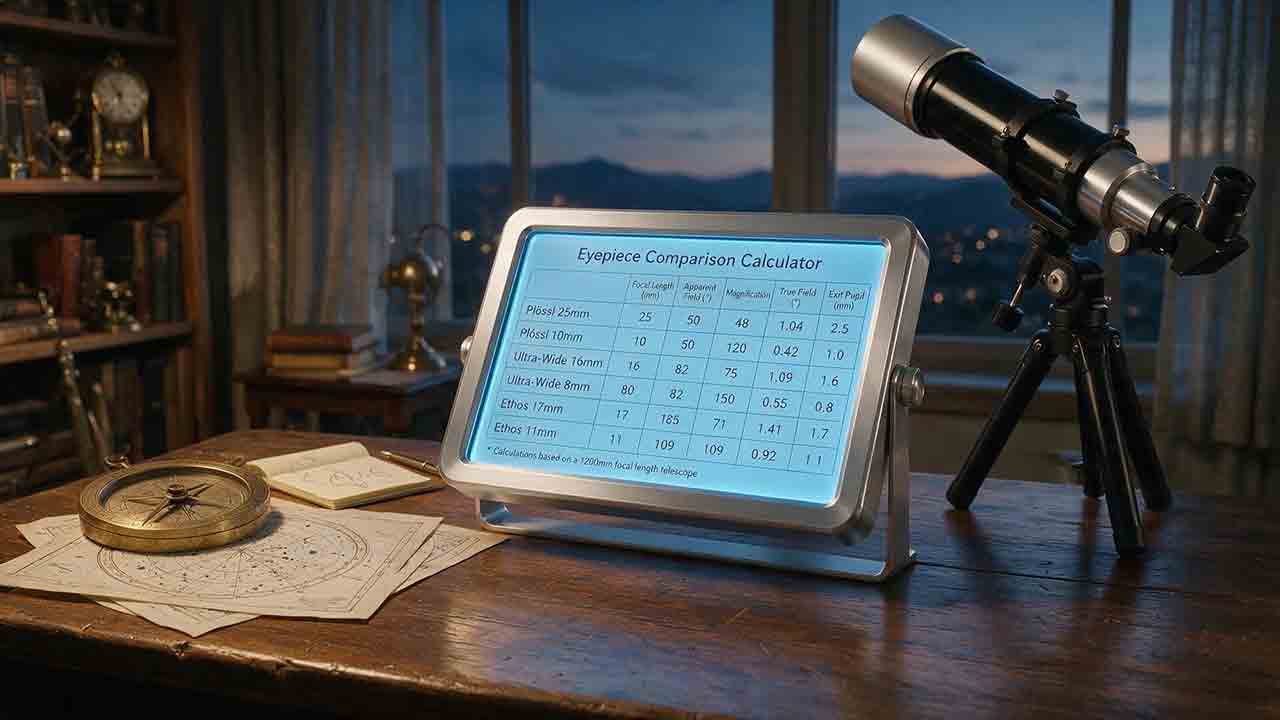
Eyepiece Comparison Calculator
This guide explains how to compare up to four telescope eyepieces using magnification, exit pupil, true field, sky coverage, eye relief, weight, and observer-pupil matching. It defines a reference-eyepiece method so every ratio and percentage has a clear direction, prioritizes field-stop-based true field when reliable data is available, and warns when AFOV and field-stop estimates differ or when mixed calculation methods are used. The article adds the original Four-Dimension Eyepiece Role Map, a reproducible same-field-stop example, pupil-adjusted brightness calculations, weight conversion rules, compatibility reminders, and a transparent field-method warning threshold. Readers can identify meaningful role differences, evaluate possible overlap, and understand what calculations cannot reveal, including optical quality, comfort, mechanical safety, and real-world compatibility. The guidance is based on published specifications and authoritative references rather than product testing or universal rankings.

Telescope Exit Pupil Calculator
This guide explains how to calculate telescope exit pupil from either aperture and magnification or eyepiece focal length and effective focal ratio. It separates manual and specification-derived magnification paths, publishes an unrounded consistency tolerance, and shows how to interpret disagreements without silently replacing or averaging inputs. Readers can compare practical exit-pupil ranges, estimate pupil-limited outer aperture, understand the limits of unobstructed light-fraction calculations, and account for central obstruction and observer-pupil uncertainty. Original planning tools include the Same-Pupil Comparison Rule, the Pupil Match Audit, boundary-handling rules, a focal-ratio reference table, and a sensitivity table for oversized exit pupils. Worked examples, troubleshooting guidance, equipment checks, and solar-observing safety notes help observers choose eyepieces while avoiding exaggerated claims about resolution, brightness, compatibility, or useful magnification.
Telescope Field of View Calculator
This guide explains how to calculate telescope field of view for visual eyepieces, camera sensors, and drift-timing measurements. It separates AFOV-based estimates, field-stop calculations, geometric camera formulas, and empirical drift checks so readers can choose the correct method and avoid mixing incompatible inputs. Worked examples, a derived field-stop reference table, and the original Field Fit Ratio framework show how to judge whether a target will fit with practical framing margin. The Three-Field Reality Check distinguishes calculated angular coverage from fully illuminated and optically usable field, helping readers account for vignetting, edge aberrations, spacing, sensor rotation, and accessory compatibility. The article also documents input validation, precision, rounding, high-declination drift limits, troubleshooting steps, planning checklists, and solar-observing safety. It is based on authoritative documentation and reproducible calculations rather than product testing or unsupported performance claims.
Explore More Topics
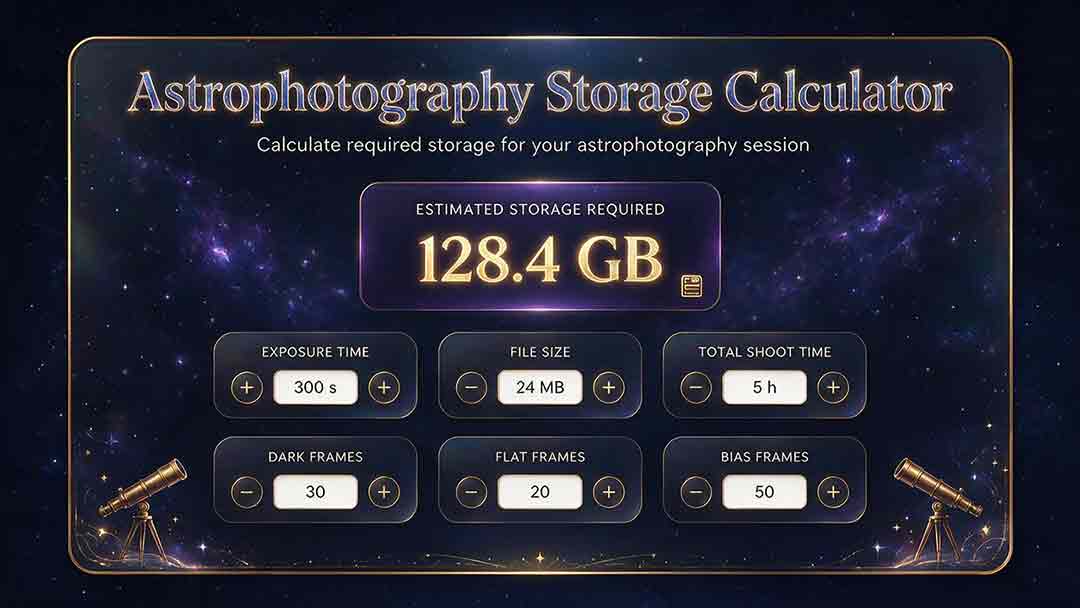
Astrophotography Storage Calculator
This guide explains how to estimate storage for astrophotography capture, processing, and backup without relying on misleading megapixel shortcuts. It compares measured-file, uncompressed-array, and bitrate methods; distinguishes mean, median, high-percentile, and maximum file-size statistics; and explains decimal versus binary storage units. Readers learn how FITS headers, padding, HDUs, RAW compression, calibration frames, RGB conversion, drizzle, mosaics, caches, and temporary files affect project size. Original planning tools include the Four-Bucket Storage Ledger, the Capture–Process–Protect Check, and a clearly defined storage expansion ratio. Worked examples show how to calculate peak logical data, project-relative headroom, complete-copy footprint, media count, write rate, and transfer time. The article also covers integrity verification, backup limitations, retention decisions, and troubleshooting. It is designed to help astrophotographers build realistic capacity plans for single sessions, multi-night projects, planetary video, star trails, and long-term archives.
Star Trail Exposure Calculator
This guide explains how to calculate star-trail exposure time from Earth’s sidereal rotation, stellar declination, and local image scale. It distinguishes polar sweep, declination-adjusted sky-path length, projected pixel length, recorded sweep, missing sweep, and the full start-to-end span of a stacked sequence. Original tables compare trail lengths at several declinations, quantify one-second frame gaps at different image scales, and show how recorded time, gap time, duty cycle, and sequence sweep relate. The Trail–Frame–Sequence Check provides a practical framework for separating celestial geometry, per-frame reliability, and sequence continuity. Worked examples also address the celestial-pole edge case, local WCS-based pixel movement, frame-count limits, long-exposure noise reduction, and the difference between a single exposure and stacked frames. Readers can use the article to plan smoother trails, avoid misleading sequence calculations, and verify expected motion with native-resolution test images.
Camera Field of View Calculator
This guide explains how to calculate horizontal, vertical, and diagonal camera field of view from the recorded active sensor dimensions and effective focal length. It distinguishes physical focal length from crop-factor comparisons, shows why aspect ratio and target rotation affect framing, and provides independently calculated reference tables for common sensor sizes and focal lengths. The original Frame Envelope Check separates ideal frame geometry, the target envelope, and the usable frame retained after dithering, registration, distortion correction, and cropping. Worked examples demonstrate target occupancy, maximum permitted focal length, rotated bounding boxes, and mosaic panel counts with overlap. The article also explains radians versus degrees, crop and stabilization modes, focus breathing, rectilinear versus fisheye projection, and plate-solving verification through a celestial WCS. Readers can use the formulas, margin budget, troubleshooting table, and framing checklist to plan wide-field compositions, small-target imaging, or mosaics without treating a mathematical edge-to-edge fit as a guaranteed final frame.